
Timer
The countdown you work against — setting its length, and the four looks it can wear.
The timer is the screen you spend the day on. Above the countdown sit the flow you are running and which round you are on; below it, the task you are working on and the controls for the session.
Setting the length
Tap the time to open the duration sheet. Drag the slider anywhere from 5 to 90 minutes, or take one of the presets — 15, 25, 45, 50, 60 or 90.
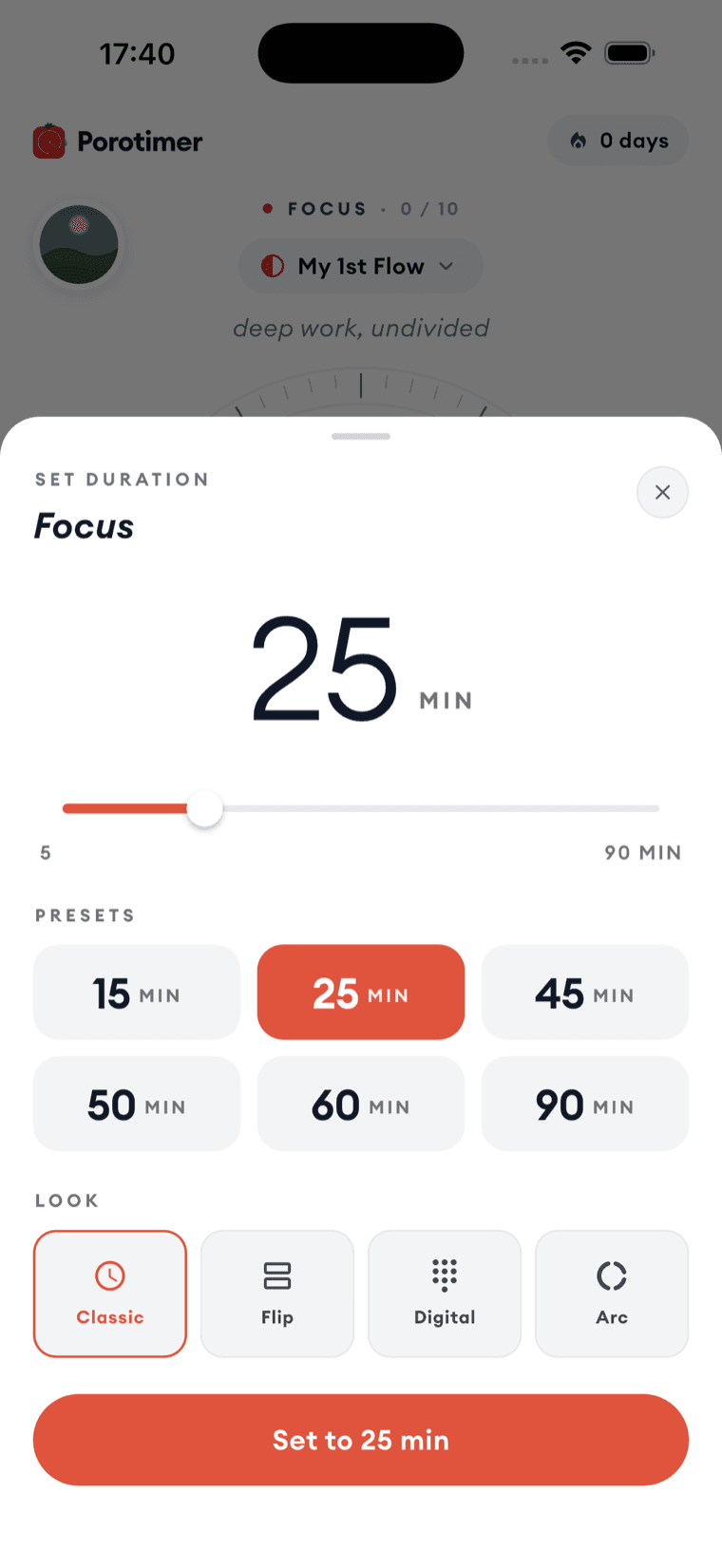
Twenty-five minutes is the default because it is short enough to start when you do not feel like starting. It is not a rule. If the work has a natural length, use that instead.
The four looks
The same countdown can be drawn four ways. The choice is entirely aesthetic — pick whichever one you can read from where you sit, and which you do not mind looking at for an hour.
| Look | What it looks like |
|---|---|
| Classic | A ring of tick marks with the time in the middle, filling as the session runs |
| Flip | Two dark cards, like a flip clock on a desk |
| Digital | A dark panel with lit numerals |
| Arc | A single open curve, the quietest of the four |
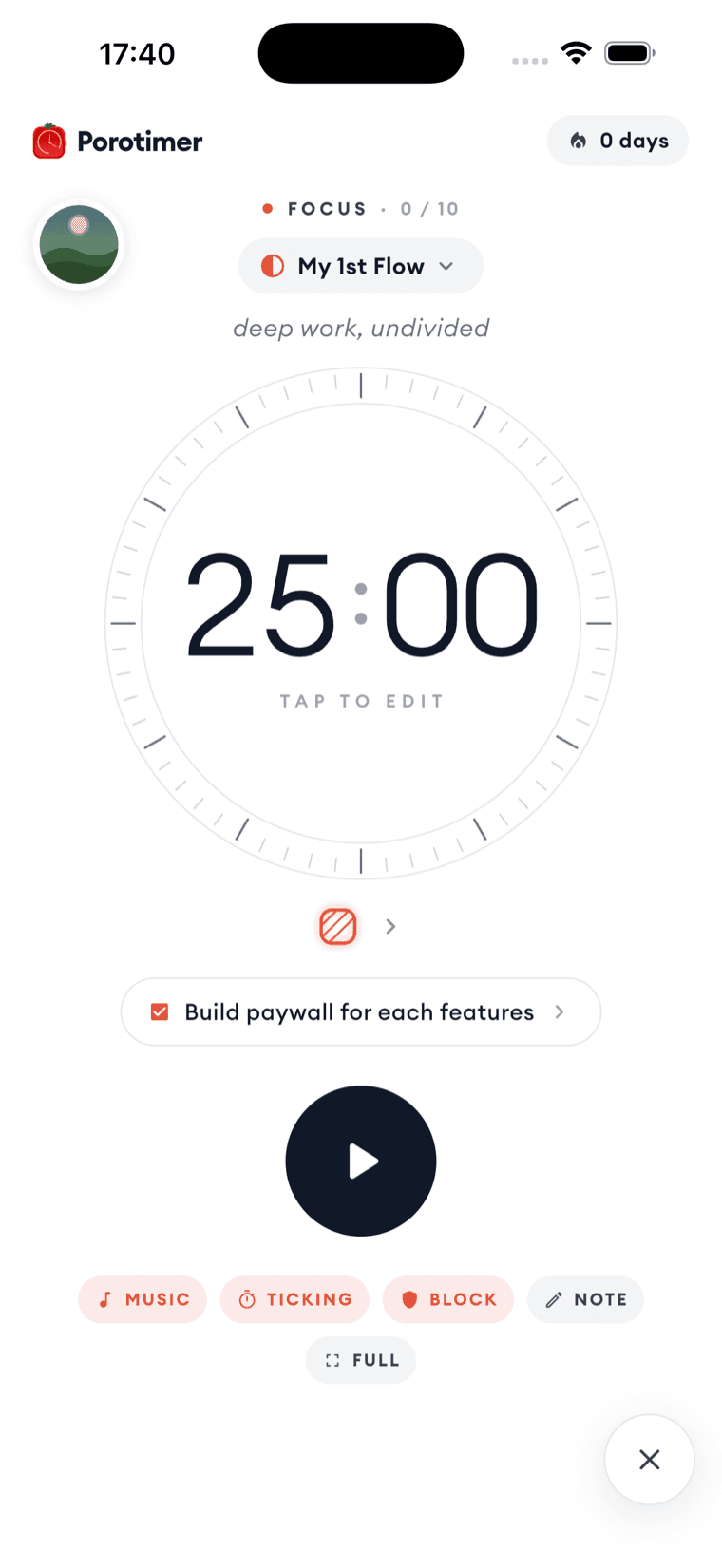
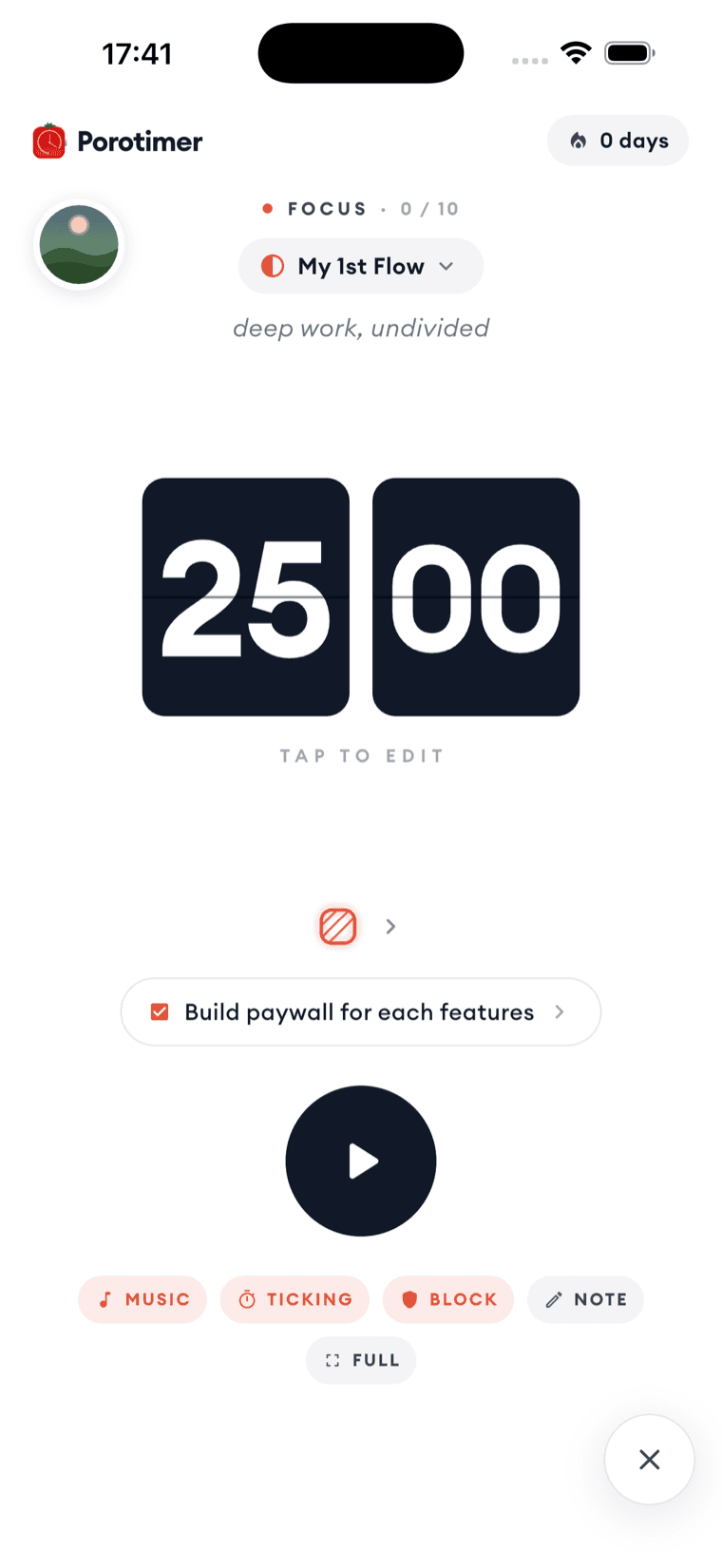
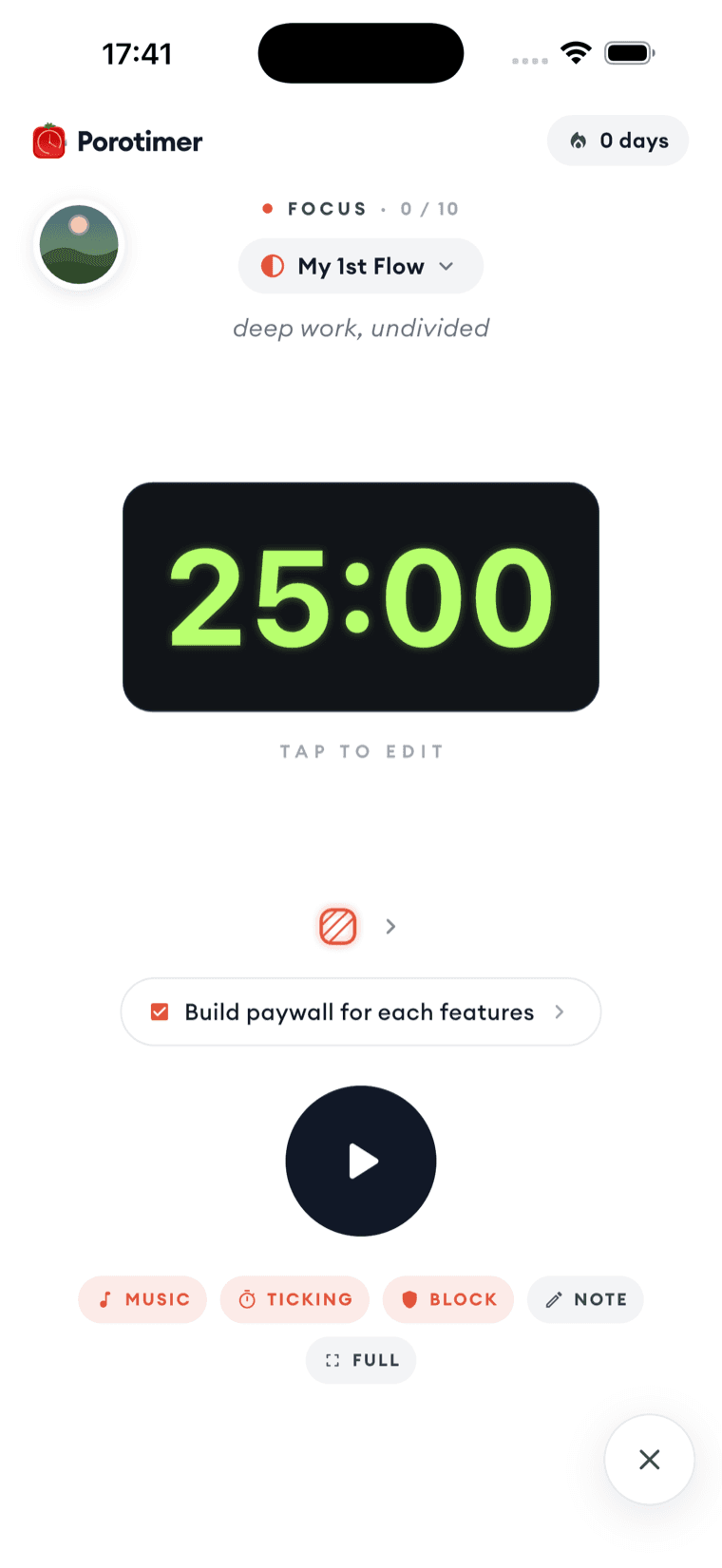
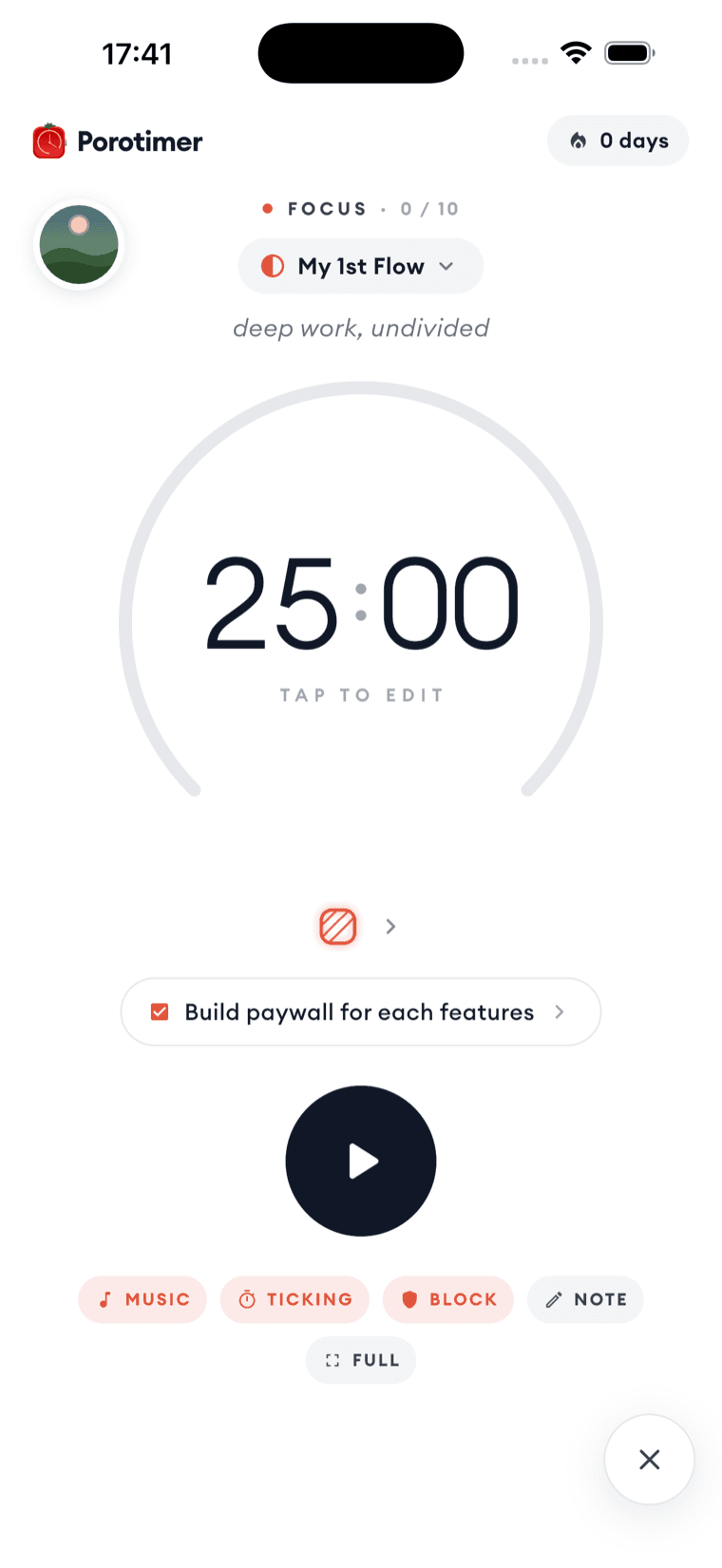
The look you pick carries into full screen too.
Session controls
Under the countdown is a row of switches that apply to the running session.
| Control | What it does |
|---|---|
| Music | Background sound while you work |
| Ticking | A tick you can hear the minutes in |
| Block | Turns on the distraction shield |
| Note | Opens the day's note |
| Full | Full screen — the countdown and nothing else |
Ticking
Some people work better with an audible clock; the sound makes the passing time something you feel rather than something you check. Porotimer offers two tempos, with their own volume.
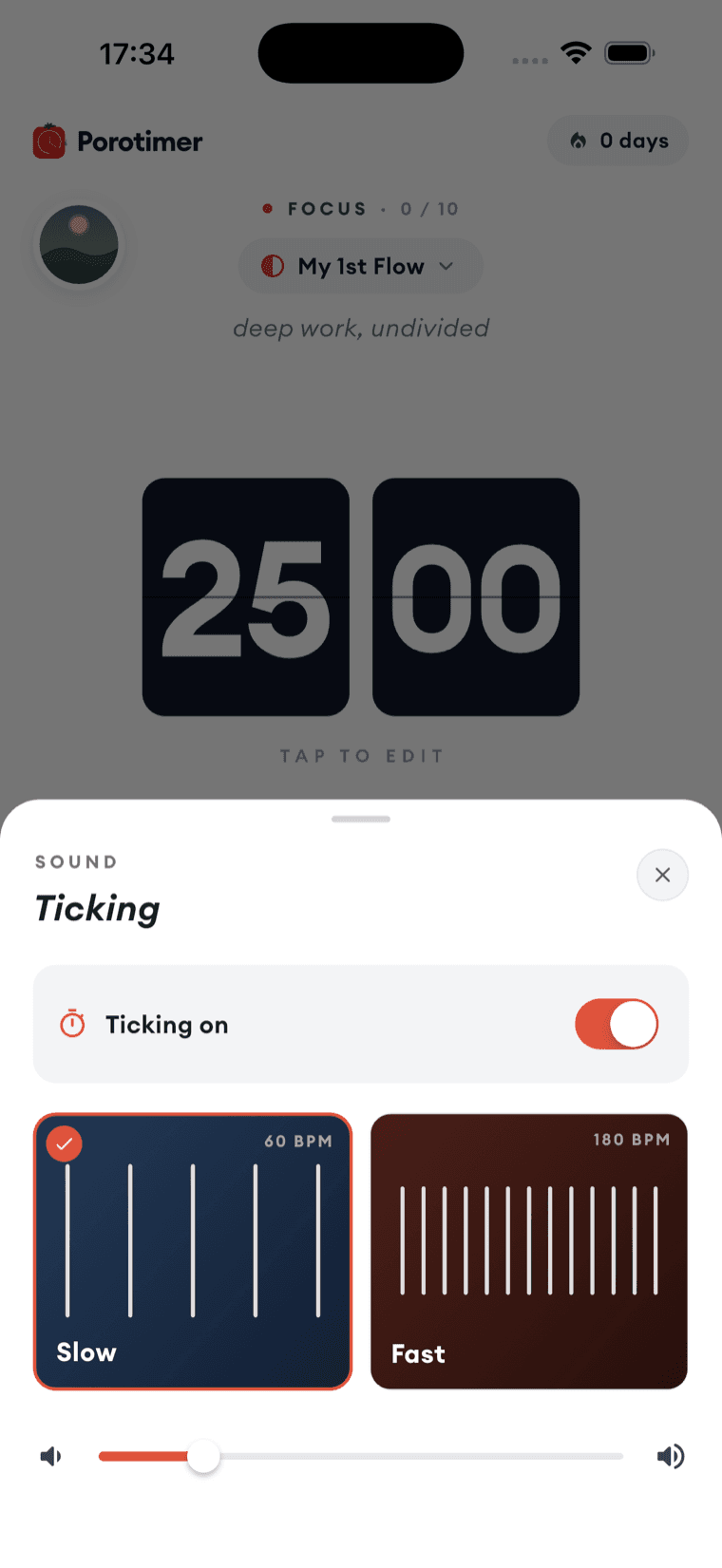
Slow ticks at 60 BPM — one beat a second, like a wall clock. Fast ticks at 180. Fast suits short, urgent sprints; slow suits long ones.
If ticking makes you anxious rather than steady, turn it off. Several of the built-in flows are silent by design.
Full screen
Full screen strips the page back to the countdown and the stop button — no flow, no task, no controls. It is the version to use when the phone is face-up on the desk and its only job is to show you the time left.