
Progress
Day, week and month views, the focus calendar, the session log, and the daily note.
Progress is the record of what actually happened, as opposed to what you meant to happen. It reads at three zoom levels — Day, Week and Month — each answering a different question.
The day
The day view opens on two numbers: minutes focused, and sessions completed. Under them, focus by hour plots focus against break across the whole day, with a one-line reading of the shape — most focused around 12PM.
That line is the useful part. Most people are wrong about when they work best, and a week of this chart settles the argument.
The month
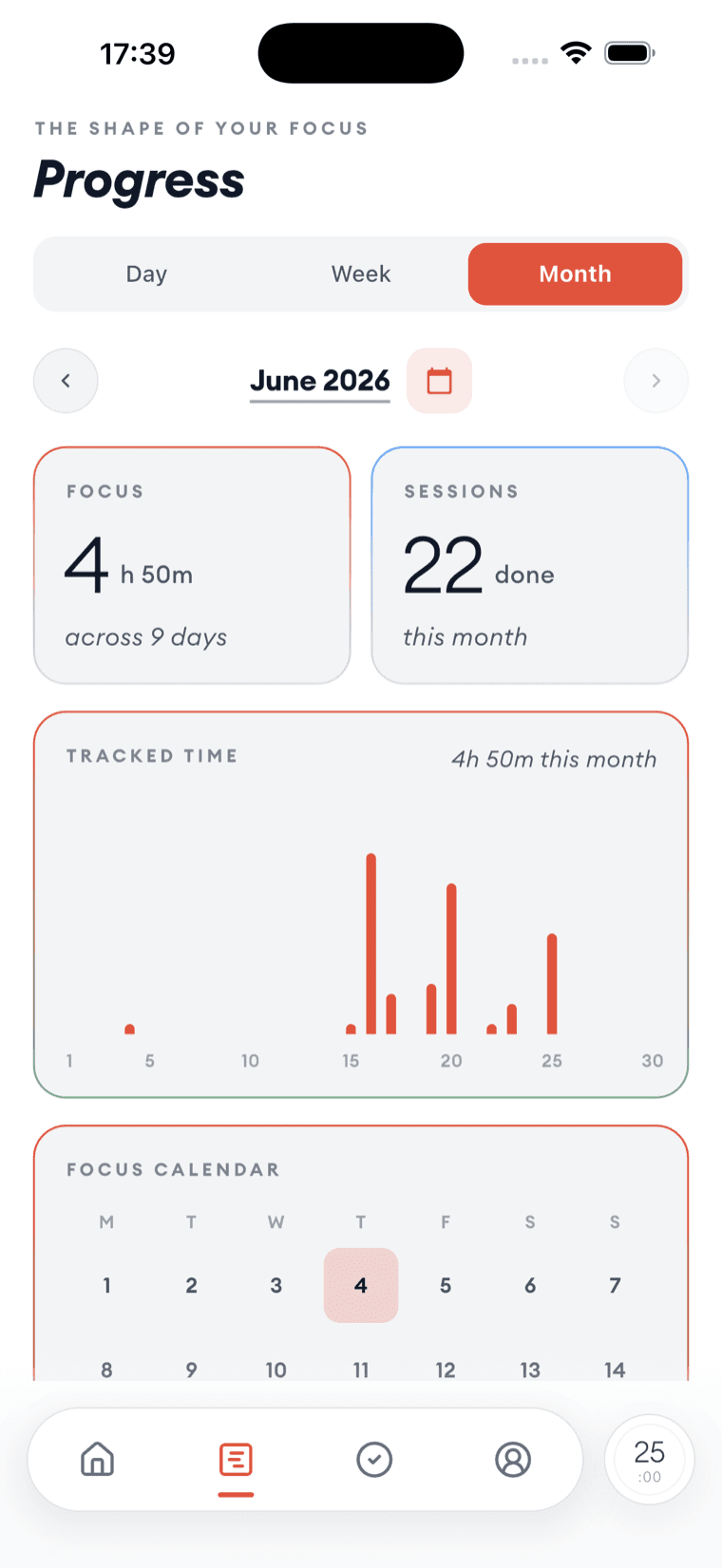
The month view totals the hours and sessions, draws tracked time as a bar per day, and marks every day you worked on a focus calendar.
The calendar is deliberately unjudgemental — it shows the days you turned up, not the days you missed. Gaps are visible, but they are not scored.
The session log
Every session is a record you can open. Each one keeps its start and end times, its length, and the task it was attached to, and all of it can be corrected after the fact — timers get left running, and a log you cannot fix is a log you stop trusting.
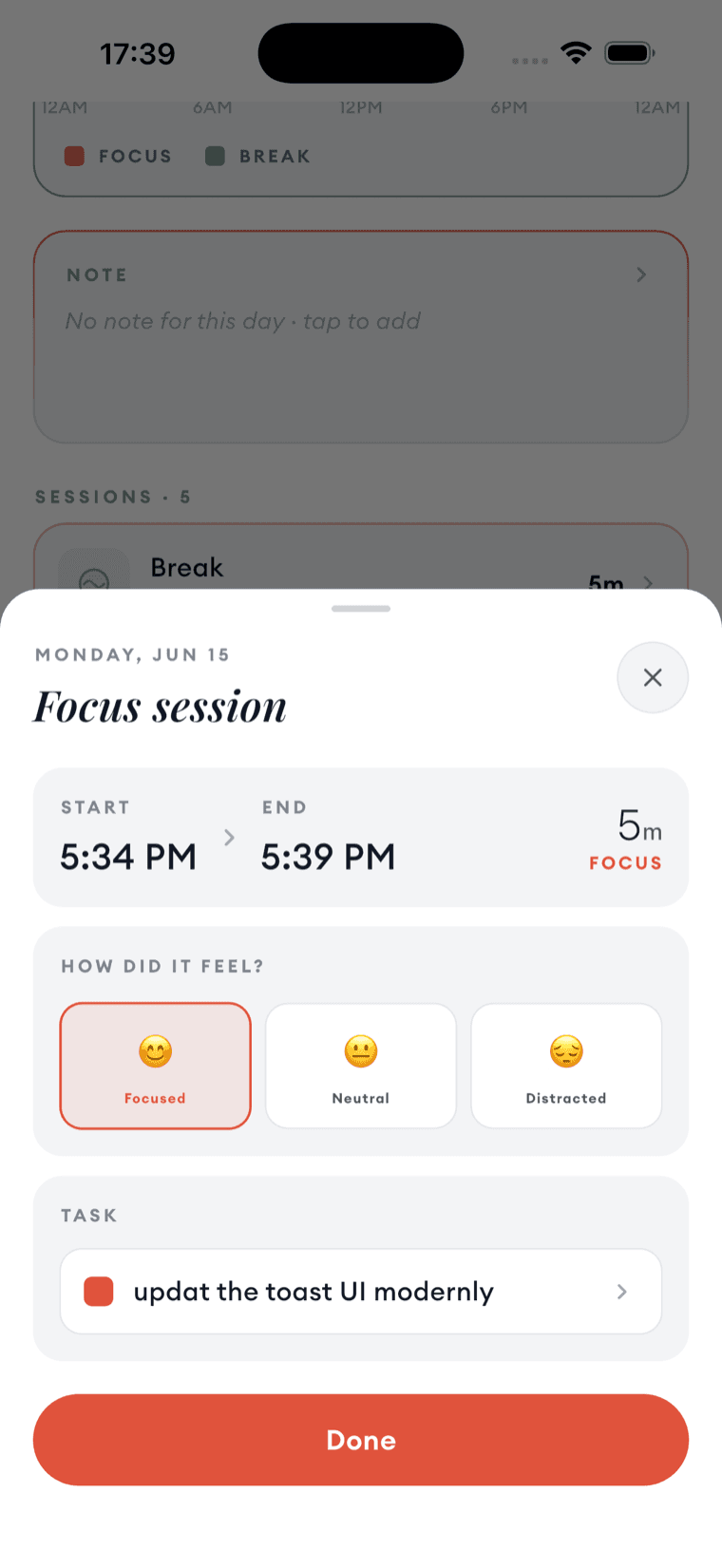
Each session also asks how did it feel — Focused, Neutral or Distracted. One tap, and over a few weeks it becomes the most interesting column you have: not how long you worked, but which hours were worth working.
Answer it honestly, including the distracted ones. A log of nothing but Focused tells you nothing at all.
The daily note
Each day has a note — a page of its own for what you got done, what got in the way, and what tomorrow starts with. It takes bold, italic, underline and both kinds of list, counts your words, and saves as you type.
The note shows on the day view under the numbers, which is the right place for it: the chart says how much, the note says what and why.
The daily goal
The home screen carries the day's target as a row of segments — sessions done against sessions planned, with the percentage and your current streak beside it. The counter above the countdown shows the same thing while you work, as 1 / 10.
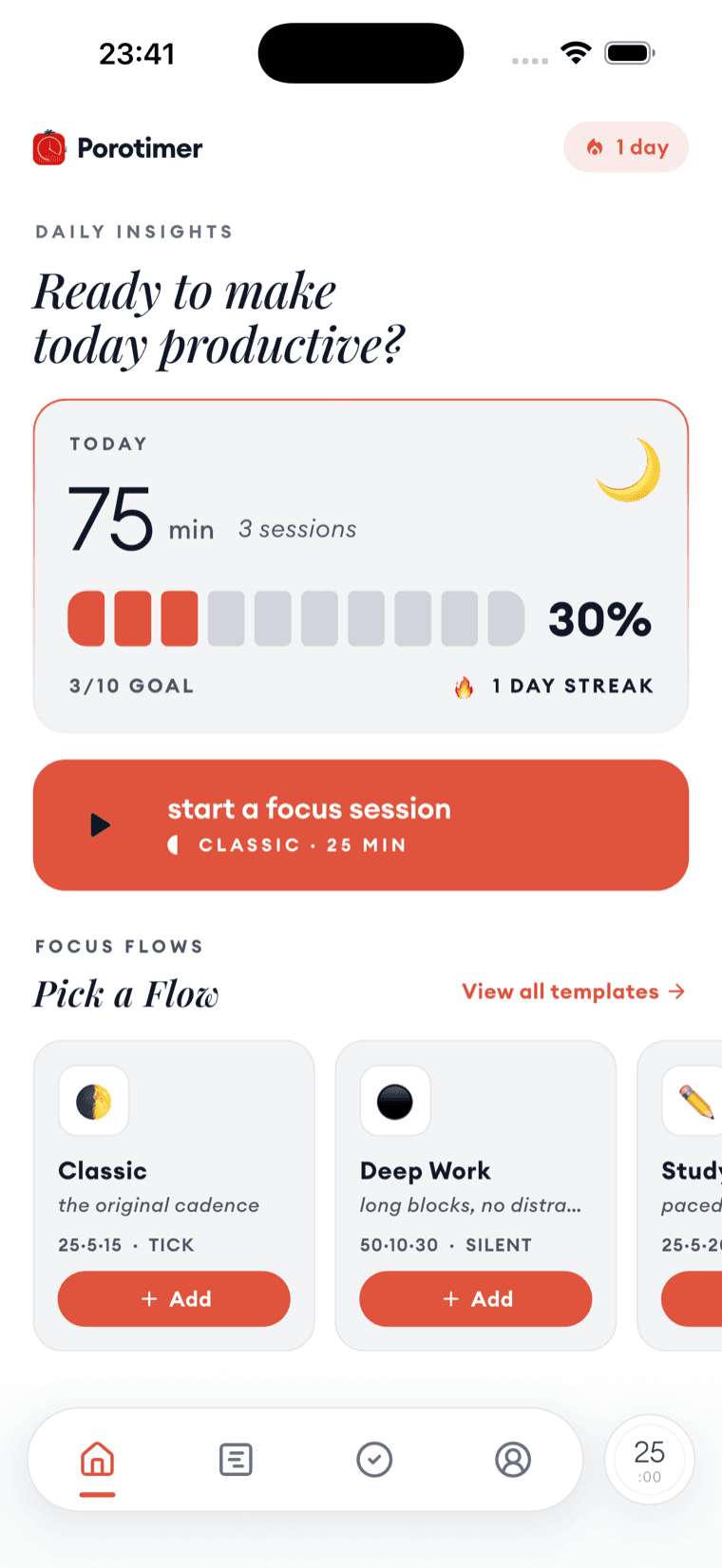
A streak is a blunt instrument and worth treating as one. It is good at getting you to start on a day you would otherwise skip, and bad at telling you whether the work was any good. That is what the note and the mood ratings are for.